Mini Diarium supports custom import and export formats through Rhai script plugins. Rhai is a simple, sandboxed scripting language that runs inside the app. You can write a plugin to handle any file format that the built-in options do not cover.
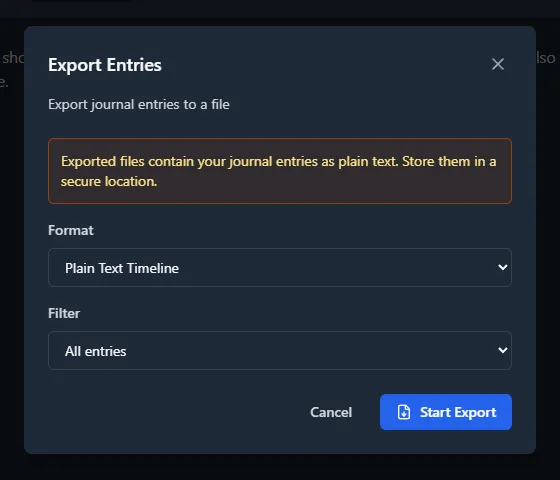
Plugins appear in the Import and Export overlay dropdowns alongside the built-in formats.
Where Is the Plugins Folder?
The plugins/ folder is shared across all journals and lives in the app data directory (this location is fixed and does not change when you configure a different journal path in Preferences):
- Windows:
%APPDATA%\com.minidiarium\plugins\ - macOS:
~/Library/Application Support/com.minidiarium/plugins/ - Linux:
~/.local/share/com.minidiarium/plugins/
A README.md file with templates and API documentation is auto-generated in the plugins folder on first launch. If you previously had .rhai scripts in a per-journal plugins/ folder, they are automatically copied to this central location on first launch after upgrading.
Writing a Plugin
Each plugin is a single .rhai file with a metadata comment header and one entry-point function.
Import Plugin
// @name: My Custom Format
        // @type: import
        // @extensions: json

        fn parse(content) {
            let data = parse_json(content);
            let entries = [];
            for item in data {
                entries += #{
                    date: item.date,       // must be YYYY-MM-DD
                    title: item.title,
                    text: item.body,       // should be HTML
                };
            }
            entries
        }
Export Plugin
// @name: Plain Text
        // @type: export
        // @extensions: txt

        fn format_entries(entries) {
            let output = "";
            for entry in entries {
                output += entry.date + " - " + entry.title + "\n";
                output += html_to_markdown(entry.text) + "\n\n";
            }
            output
        }
Available Helper Functions
| Function | Description |
|---|---|
parse_json(string) |
Parse a JSON string into a map or array |
count_words(string) |
Count words in a string |
now_rfc3339() |
Current timestamp in RFC 3339 format |
html_to_markdown(string) |
Convert HTML to Markdown |
Rules and Limitations
- Import scripts must define
fn parse(content)returning an array of entry maps. - Export scripts must define
fn format_entries(entries)returning a string. (exportis a reserved word in Rhai, so the function is namedformat_entries.) - The
datefield must be inYYYY-MM-DDformat. - The
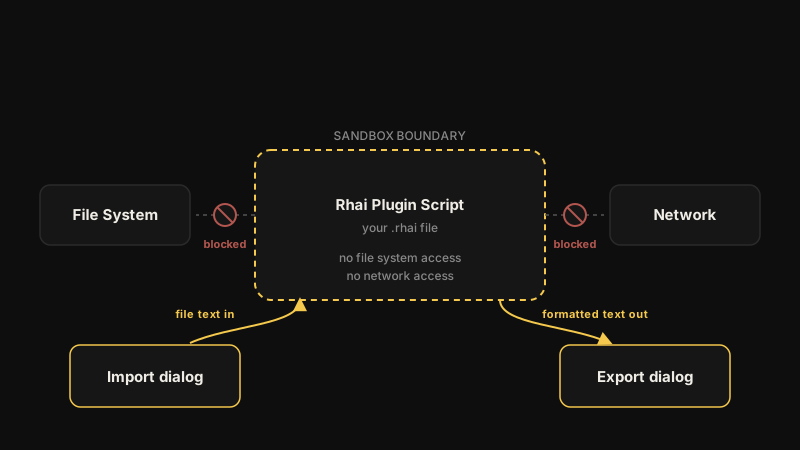
textfield should contain HTML (the editor uses HTML internally). - Scripts run in a sandbox: no file system access, no network access.
- Scripts are limited to 1,000,000 operations to prevent infinite loops.
- Tags are not currently passed to Rhai export scripts. Each entry map contains
date,title,text,word_count,date_created, anddate_updated. Tag support for Rhai plugins will be added in a future release.
Official Example
An official example plugin is included in the repository at docs/user-plugins/plain-text-timeline.rhai.